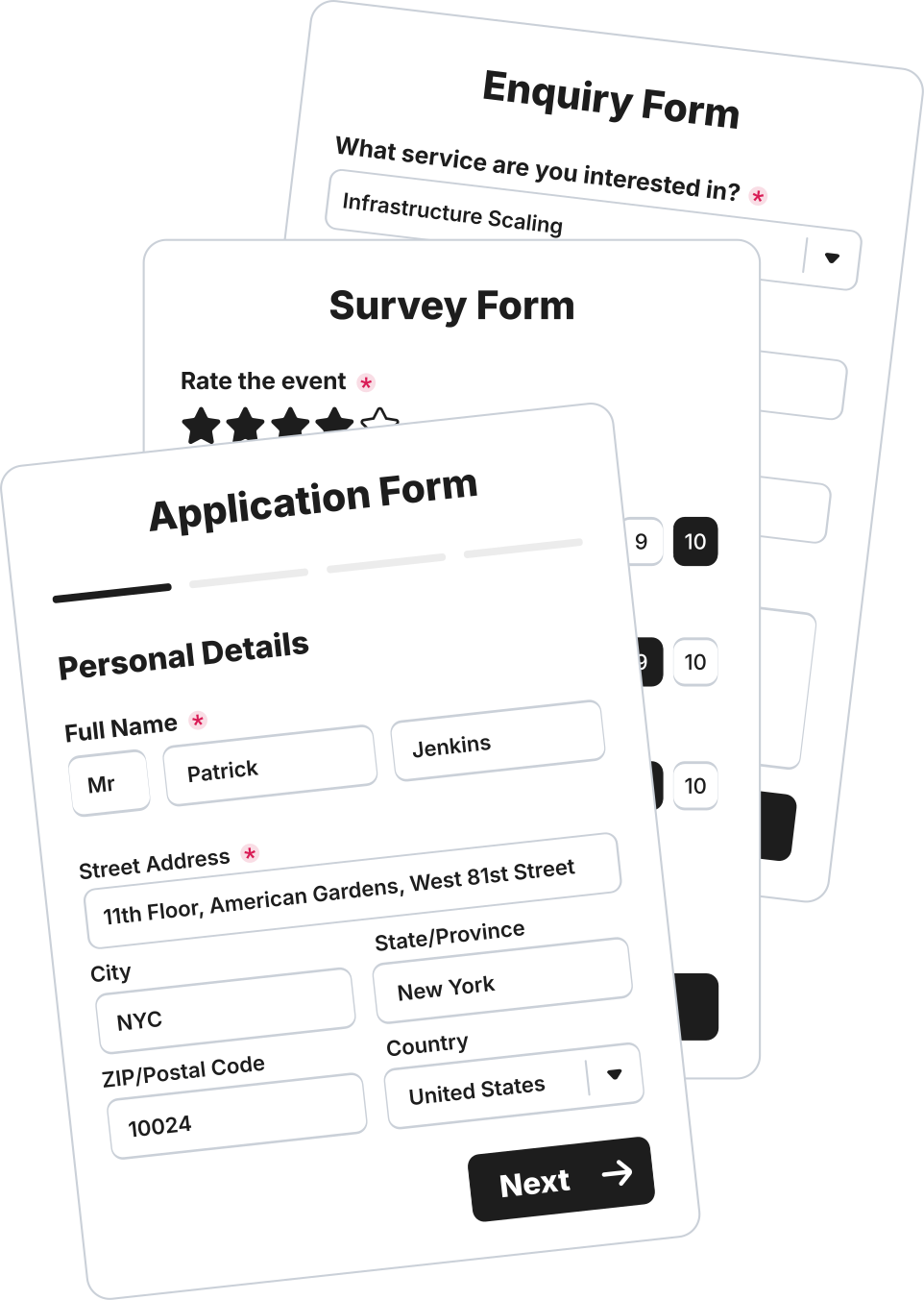
Create & Publish
 35+ Form Fields
Build the perfect form in a few clicks and drags.
35+ Form Fields
Build the perfect form in a few clicks and drags.
 Conditional Logic
Show or hide fields and pages dynamically based on user input.
Conditional Logic
Show or hide fields and pages dynamically based on user input.
 E-Signatures
Collect legally binding signatures without hassle or extra steps.
E-Signatures
Collect legally binding signatures without hassle or extra steps.
 Share Form Links
Each form you create generates a unique URL for easy sharing.
Share Form Links
Each form you create generates a unique URL for easy sharing.
 Embed Your Form
Embed your form anywhere that can embed HTML.
Embed Your Form
Embed your form anywhere that can embed HTML.
 Live Preview
One-click to view and test your hand-crafted form, fully ready to go.
Live Preview
One-click to view and test your hand-crafted form, fully ready to go.
 Offline Recovery
Automatically restore form data due internet failure or page refresh.
Offline Recovery
Automatically restore form data due internet failure or page refresh.Branding & Personalization
 70+ Theme Library
Get the perfect look with our handcrafted ready-made themes.
70+ Theme Library
Get the perfect look with our handcrafted ready-made themes.
 Custom Themes
Fully customize every aspect of your form's design for brand consistency.
Custom Themes
Fully customize every aspect of your form's design for brand consistency.
 Cover Photo
Add a cover photo or flat color to the top of your form.
Cover Photo
Add a cover photo or flat color to the top of your form.
 Logo Branding
Upload your own logo to personalize your forms and response emails.
Logo Branding
Upload your own logo to personalize your forms and response emails.
 Custom Social Share
Appears on messaging apps, social networks when sharing links.
Custom Social Share
Appears on messaging apps, social networks when sharing links.
 Custom Redirect
Redirect to your own 'thank you' URL after form submission.
Custom Redirect
Redirect to your own 'thank you' URL after form submission.
 Custom Favicon
Appears in the browser tab icon, customize with your own version.
Custom Favicon
Appears in the browser tab icon, customize with your own version.Sending & Configuration
 PDF Results
Convert Form Results to PDF for Download or Print.
PDF Results
Convert Form Results to PDF for Download or Print.
 Email Routing
Route responses to other email addresses for tailored delivery.
Email Routing
Route responses to other email addresses for tailored delivery.
 Autoresponders
NEW
Send automatic replies to form respondents.
Autoresponders
NEW
Send automatic replies to form respondents.Results & Management
 Project Folders
Organize your forms by project for ultra-organization.
Project Folders
Organize your forms by project for ultra-organization.
 Project Members
Invite other users to your projects and build forms together.
Project Members
Invite other users to your projects and build forms together.
 Results Dashboard
View, expand, delete and export results - per form.
Results Dashboard
View, expand, delete and export results - per form.Unlimited everything.
Build unlimited forms, collect unlimited results, and use unlimited templates — all for free.
By industry
 Legal Services
One home for every legal services form — conveyancing, family law, immigration and more, ready to customize.
Legal Services
One home for every legal services form — conveyancing, family law, immigration and more, ready to customize.
 Real Estate
One home for every real estate form — commercial property, estate agents, lettings & property management and more, ready to customize.
Real Estate
One home for every real estate form — commercial property, estate agents, lettings & property management and more, ready to customize.
 Healthcare
One home for every healthcare form — care homes, dental practices, gp & medical practices and more, ready to customize.
Healthcare
One home for every healthcare form — care homes, dental practices, gp & medical practices and more, ready to customize.
 Fitness
One home for every fitness form — calisthenics, climbing, crossfit and more, ready to customize.
Fitness
One home for every fitness form — calisthenics, climbing, crossfit and more, ready to customize.
 Beauty
One home for every beauty form — barbering, hair salon, lashes & brows and more, ready to customize.
Beauty
One home for every beauty form — barbering, hair salon, lashes & brows and more, ready to customize.
 Construction
One home for every construction form — bricklaying & masonry, carpentry & joinery, demolition and more, ready to customize.
Construction
One home for every construction form — bricklaying & masonry, carpentry & joinery, demolition and more, ready to customize.
 Hospitality
One home for every hospitality form — holiday rentals, hotels & b&bs, resorts & holiday parks and more, ready to customize.
Hospitality
One home for every hospitality form — holiday rentals, hotels & b&bs, resorts & holiday parks and more, ready to customize.By type
Contact Forms Make it easy to reach you — customizable contact forms for any site. Booking Forms Take bookings 24/7 — customizable forms your customers can submit anytime. Registration Forms Register people fast — events, courses and programs, ready to customize. Application Forms Collect applications of any kind — jobs, memberships, programs and more. Feedback Forms Hear what people think — customizable feedback forms for any audience. Lead Forms Fill the pipeline — lead-capture forms you can embed anywhere. Survey Forms Ask the right questions — customizable surveys for any audience.Popular
Contact Form Route customer inquiries cleanly — reason, urgency and account — so messages reach the right team and get the right response. Lead Capture Form Turn social media interest into leads — service, needs and contact details — captured the moment someone’s curious. Event Registration Form Register attendees for your non-profit events online, capturing contact details, dietary needs, and volunteer interest in one friendly form. Appointment Request Form Let patients request an appointment online — preferred date, time, type and reason — so your front desk can book it fast. Job Application Form Take job applications with one clean form — contact, role, resume, availability and eligibility — ready to shortlist. Customer Feedback Form Gather customer feedback on their store visit — satisfaction, what worked and any issues — so you keep shoppers coming back. Membership Signup Form Sign up new members to your community group online, capturing contact details, membership type, and consent in one tidy form.Start from a template.
Every one is free, fully customizable and ready to embed — make it yours in minutes.









Missing an app?
Pipe submissions to 6,000+ apps with Zapier, or hit any endpoint using webhooks.

Date
Capture a valid date with ease.
Use the Date field to present the user with an elegant datepicker, with a Date Format of your choice and lots of customizable options.
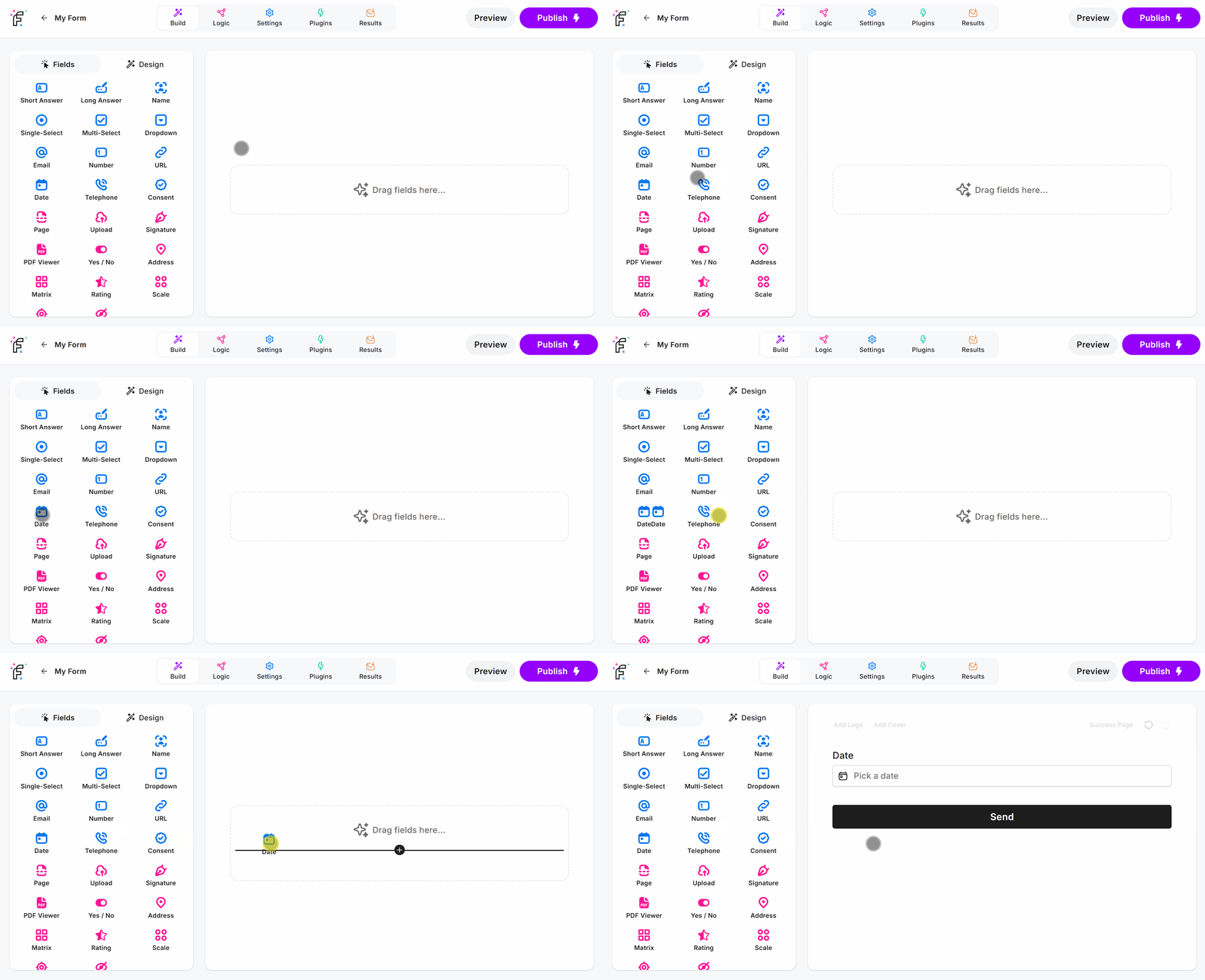
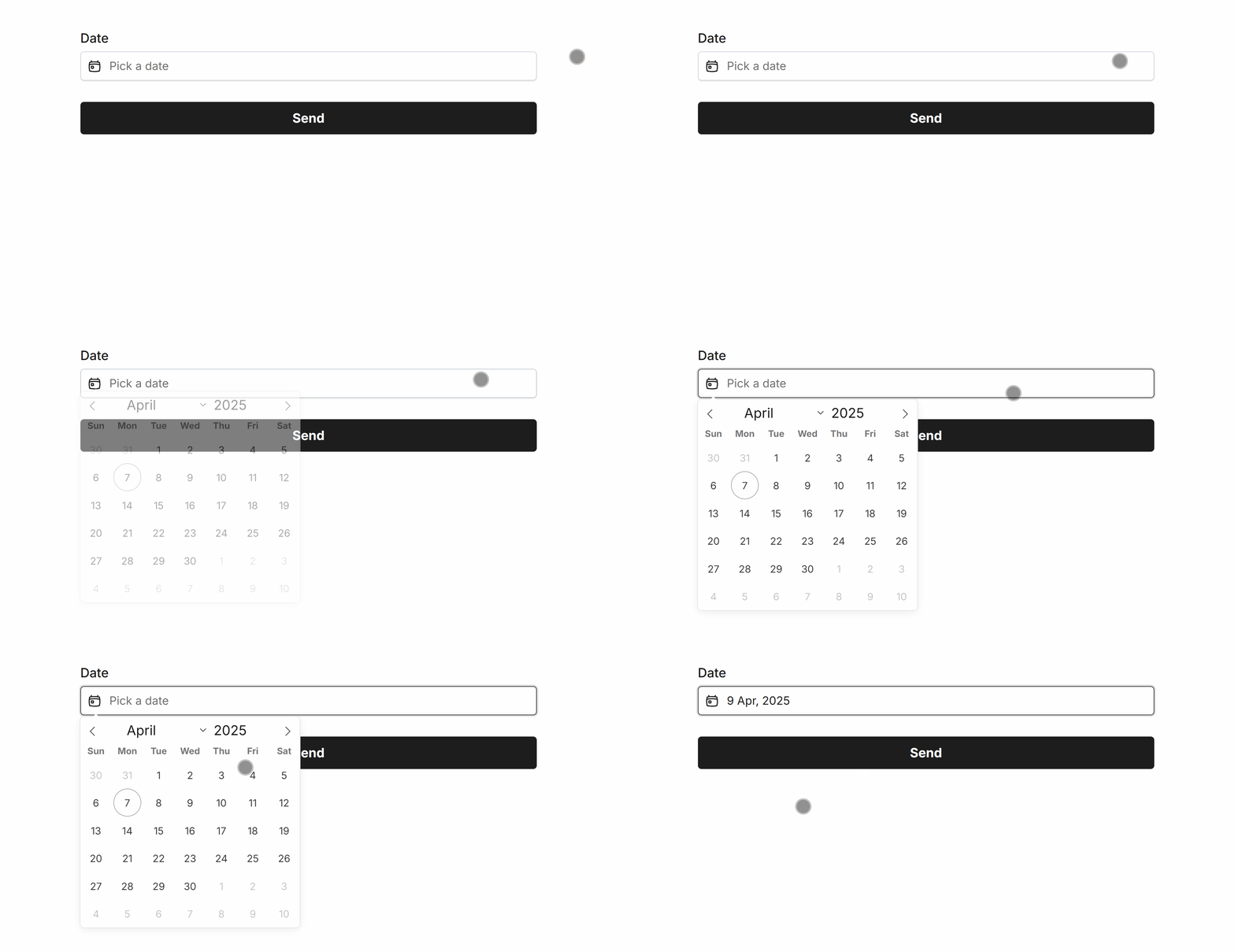
Date Field Demo
Add the Date field and hit Preview or Publish:
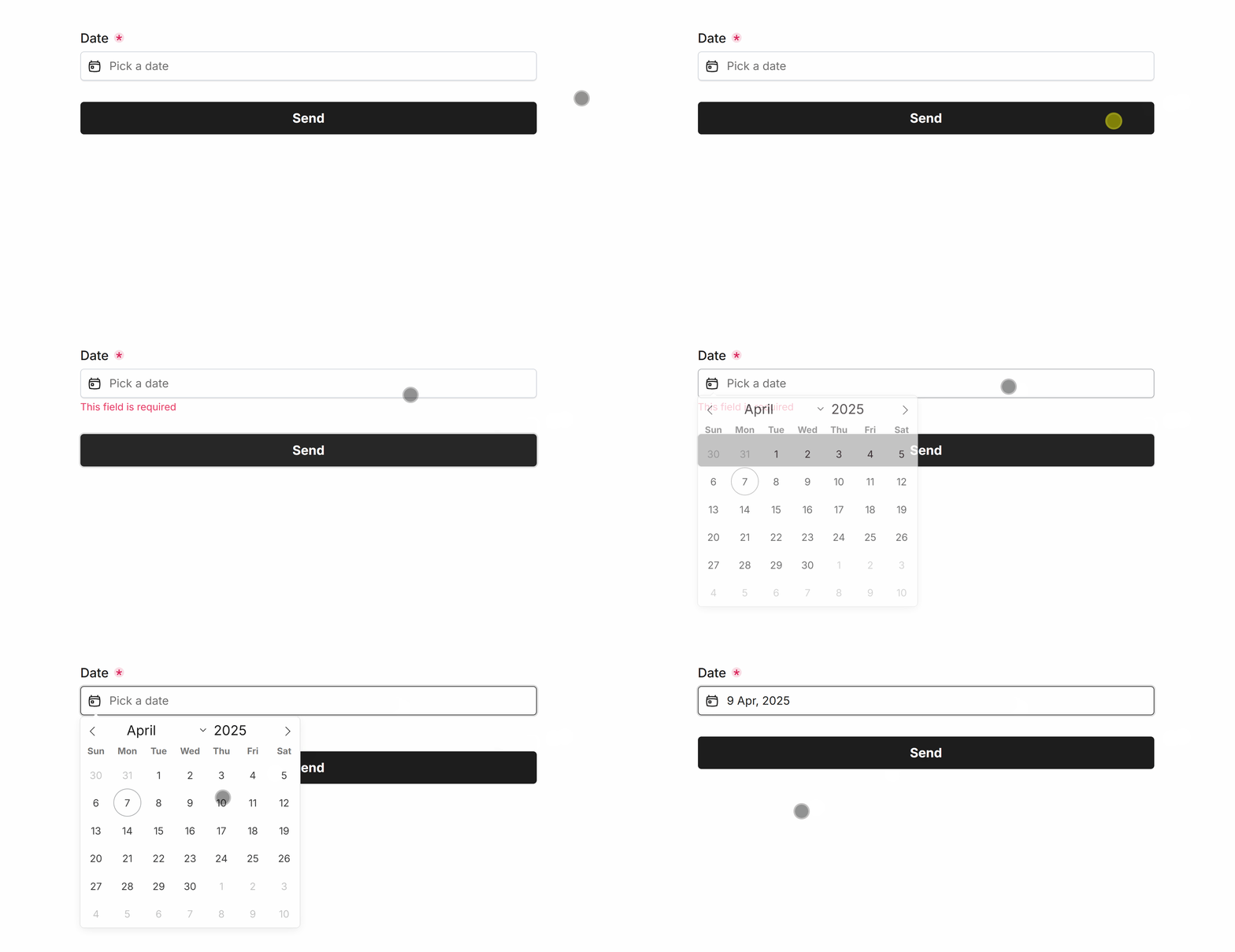
Required Date
Easily make Date required via Smart Validation to ensure the field is always filled out:
Minimum Date
Set a minimum date to prevent selection for a specified date and prior.
Minimum dates can be one-click configured to support dynamic values such as:
YesterdayTodayTomorrow# Days Ago(a number of your choice)# Days From Now(a number of your choice)
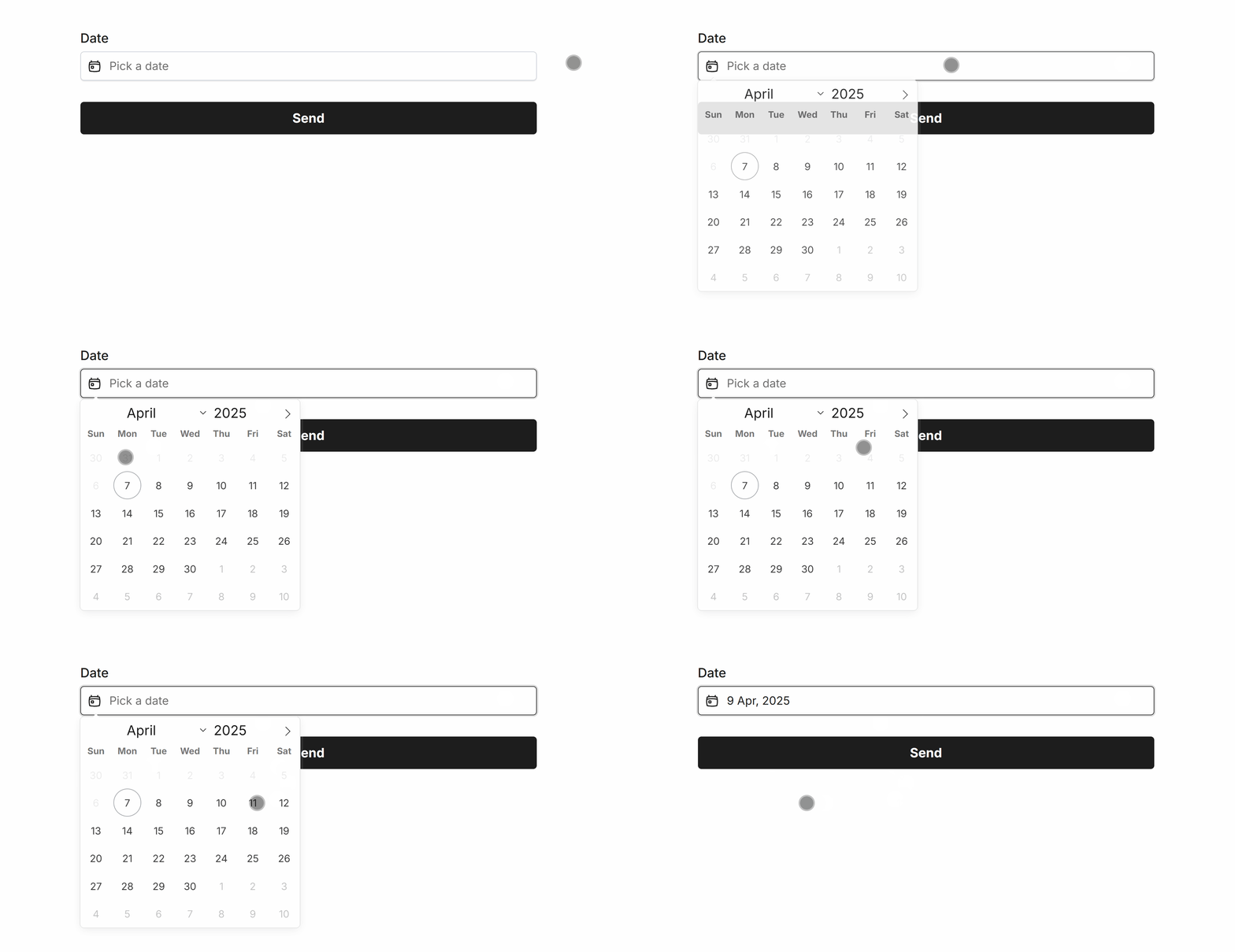 Minimum Date set to ‘Today’
Maximum Date
Set a maximum date to prevent selection for a specified date and after.
Maximum dates can be one-click configured to support dynamic values such as:
YesterdayTodayTomorrow# Days Ago(a number of your choice)# Days From Now(a number of your choice)
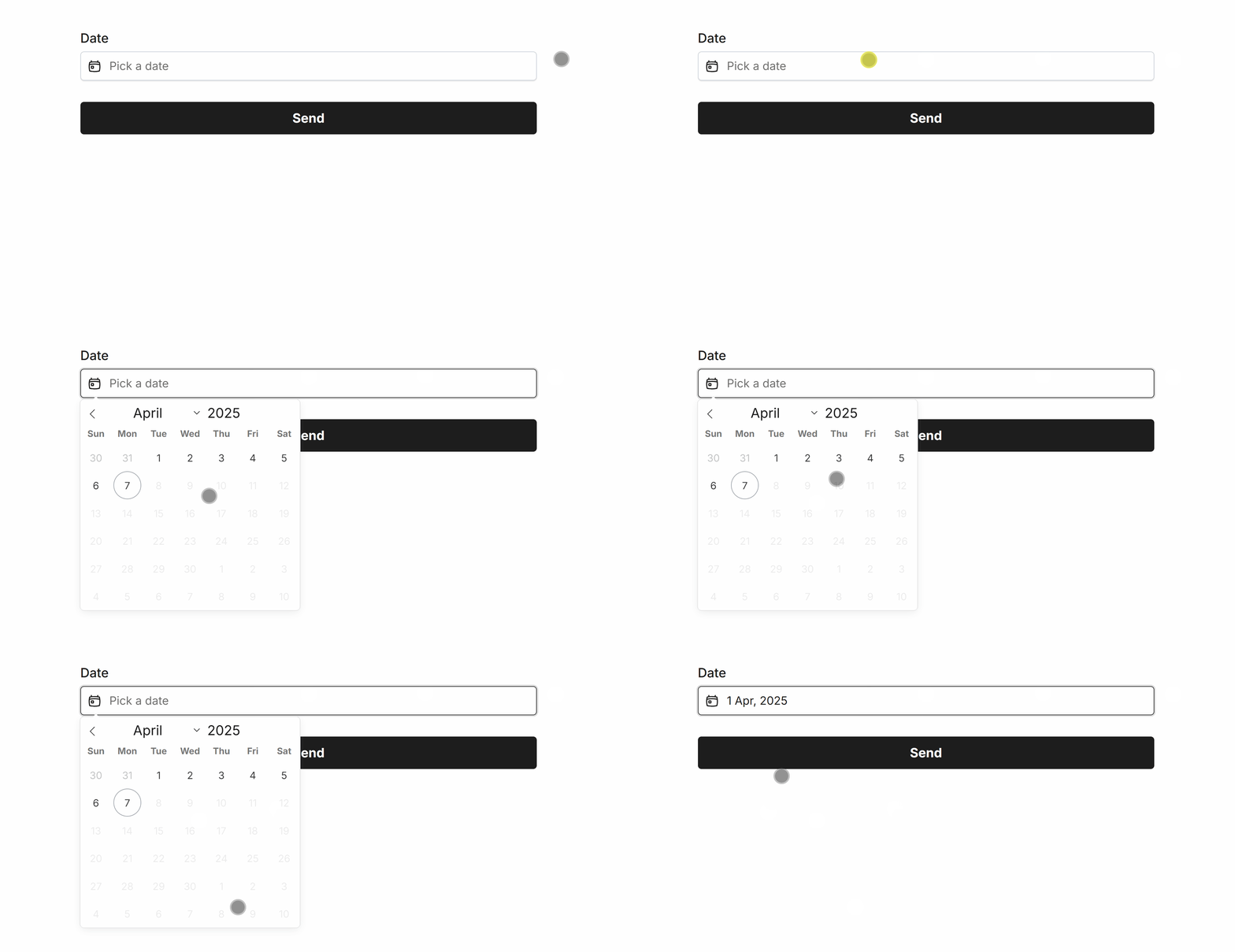 Maximum Date set to ‘Today’
Disable Specific Days
Quickly disable specific days, such as weekends for work related dates or block off days you’re always unavailable:
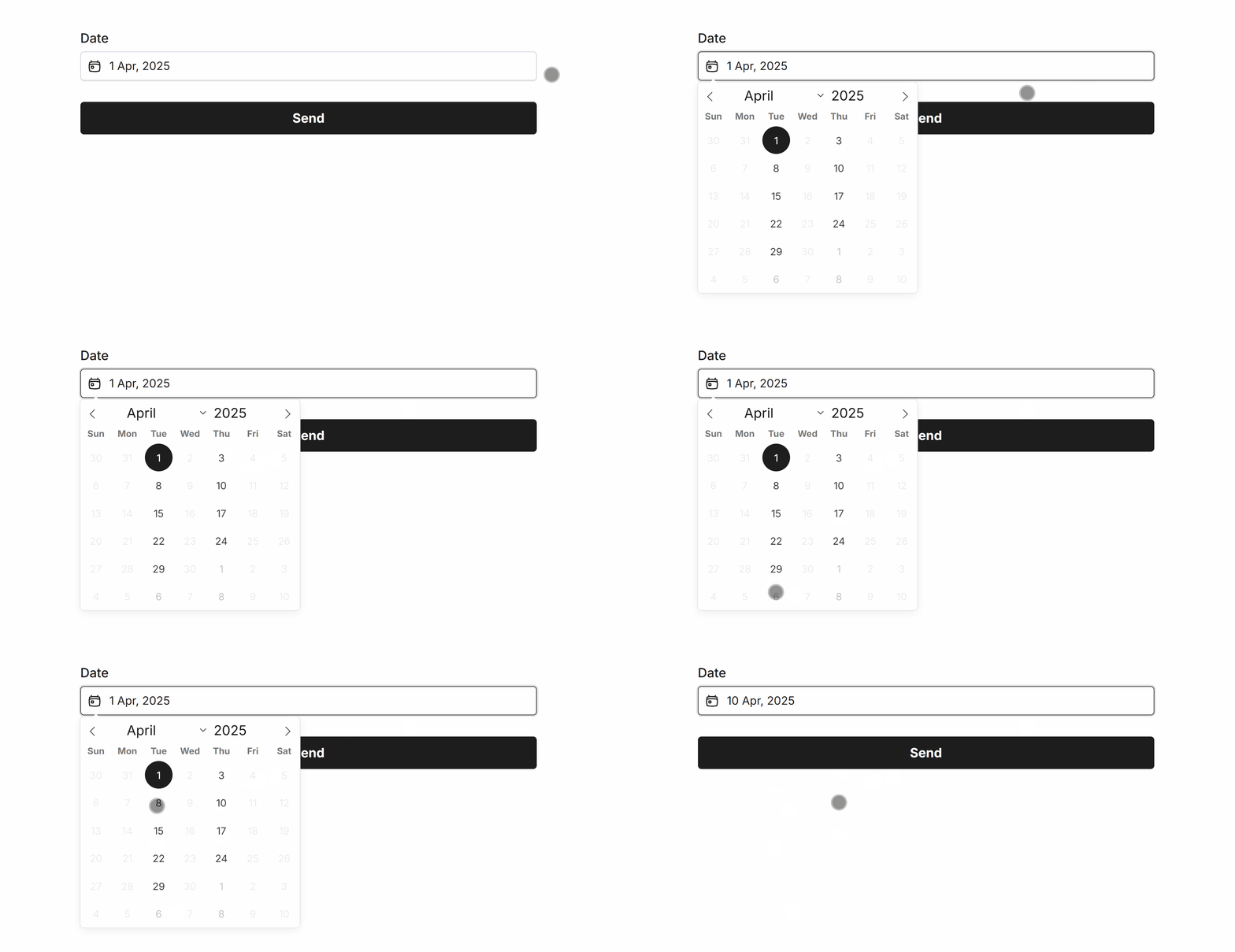 Disabling all dates besides Tuesday and Thursday
Disable Specific Dates
Manually add dates to disable from selection, such as 2025-04-11:
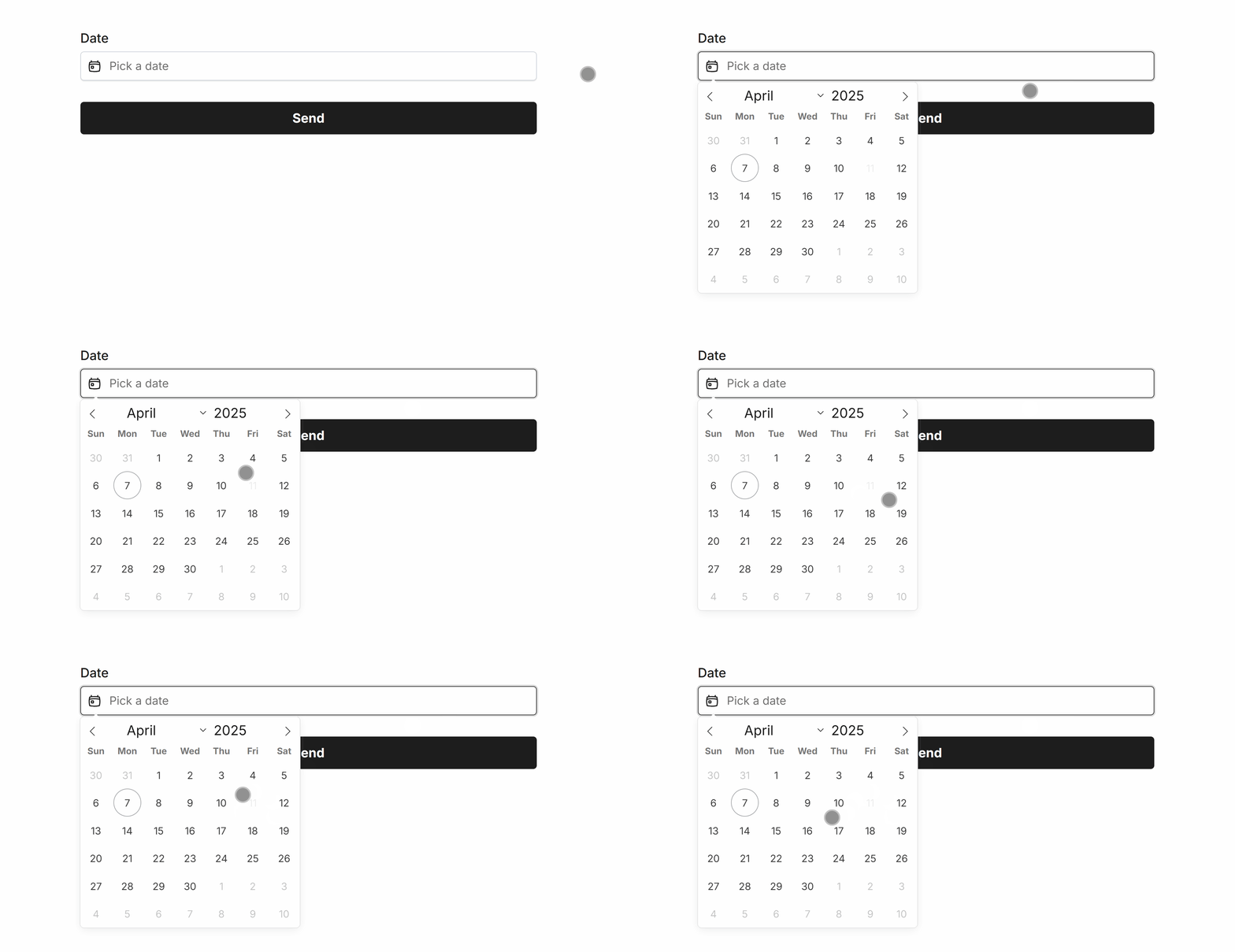 Disabling ‘2025-04-11’ in the Date field
Specific Options
Configuration options specific to this field:
Date Format | Select a visual date format for the form field |
Min Date | Set a minimum date that can be selected in the picker |
Max Date | Set a maximum date that can be selected in the picker |
Enable/Disable Days | Allow only specific days of the week to be selected |
Disable Dates | A comma-separated list of dates to exclude from the date selector |
Common Options
Available on most fields, including this one:
Label | A short description of the field |
Description | An optional longer description of the field |
Required | Enforces the field to be filled in, displays an error if not |
Default Value | Set a default value for the field |
Placeholder | A helpful hint inside the field, e.g. Enter your name |
Read-Only | Locks a field so it cannot be edited, useful when combined with Default Value |
Custom Name | Every field has a unique hidden "name" that can be customized |

The Date field background, selected date, border and text color can be changed within your Theme settings.
Beautiful forms for serious business
From quick enquiries to complex onboarding — signatures, PDFs, conditional logic, unlimited forms and results.
Make Free Forms

 No credit card
-
Unlimited forms
-
Unlimited results