1. Templates
  2. Customer Service
  3. Contact & Call Centers
  4. Customer Complaint Form

Customer Complaint Form

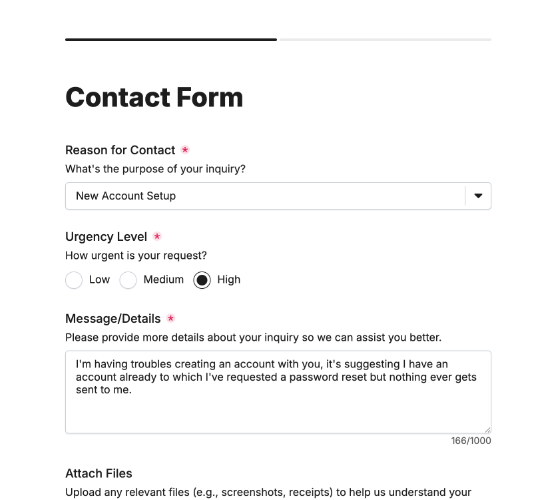
Let customers file complaints clearly — what went wrong, the resolution they want and their order details — so you can put it right.

Description

A customer complaint form gives unhappy customers a structured way to be heard, and gives you what you need to resolve the issue properly. A complaint handled well often creates a more loyal customer than one who never had a problem — so capturing what went wrong, what they want done and the order details lets you respond quickly and turn a negative into a save.

It captures the date and category of the complaint, a description of what went wrong, and the customer’s desired resolution. Their order number if they have one, supporting documents, contact details and how they’d like you to respond, with data consent, complete a complaint your team can act on straight away.

Customize the categories and fields to match your business, restyle it in your brand colors, and embed it on your site so complaints arrive ready to resolve.

Form fields

Everything the Customer Complaint Form above collects — 14 fields, so you can see exactly what it captures before you make it your own.

Customer Complaint Form

  • Date of incident

    Date Icon
    Date
  • Complaint category

    Short Answer Icon
    Short Answer
  • Describe your complaint category:

    Short Answer Icon
    Short Answer
  • Tell us what went wrong:

    Long Answer Icon
    Long Answer
  • Desired resolution

    Short Answer Icon
    Short Answer
  • Describe your desired resolution:

    Short Answer Icon
    Short Answer
  • Do you have an order number?

    Yes/No Icon
    Yes/No
  • Enter your order number:

    Short Answer Icon
    Short Answer
  • Supporting Documents

    Short Answer Icon
    Short Answer
  • Name

    Name Icon
    Name
  • How should we respond to you?

    Multi-Select Icon
    Multi-Select
  • Email

    Email Icon
    Email
  • Telephone

    Telephone Icon
    Telephone
  • Data Consent

    Multi-Select Icon
    Multi-Select
Use Template Arrow Right Icon

Template FAQs

Common questions about the Customer Complaint Form — what it captures, when to use it, and how to make it your own.

What is a customer complaint form?

It’s a form customers use to raise a complaint. It captures what went wrong, the resolution they want and their order details, so your team can investigate and put it right — handling the complaint properly rather than losing it in a general inbox.

What does the form capture?

The date and category of the complaint, a description of what went wrong, and the desired resolution. The order number if they have one, supporting documents, contact details and how they’d like you to respond, with data consent, complete it.

When would a customer use it?

When something’s gone wrong and they want it addressed — a faulty product, poor service, a billing error. A clear complaint form lets them explain it fully in one place, so it reaches the right team with everything needed to resolve it rather than bouncing around.

Who is this form for?

Businesses, contact centers and support teams that handle complaints, and the customers raising them. It suits any organization that wants complaints captured with the detail to resolve them, so issues are handled promptly and unhappy customers are won back.

Why capture the desired resolution?

Knowing what the customer actually wants — a refund, a replacement, an apology — lets you resolve the complaint in a way that satisfies them, often faster than guessing. It sets clear expectations and turns a complaint into a chance to exceed them and keep the customer.

Is this form free to use?

Yes, it’s free. Create a Fun Forms account, customize the categories and fields to match your business, restyle it to your brand colors, and embed it on your website with no coding. Complaints then arrive with the detail to resolve them fast.