1. Templates
  2. Hospitality
  3. Venues & Events
  4. Conference Room Booking Form

Conference Room Booking Form

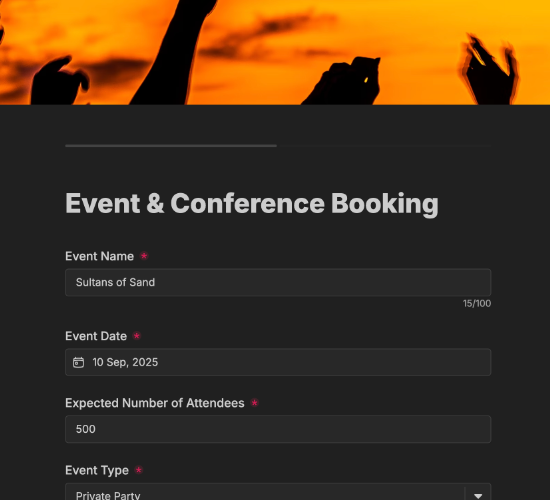
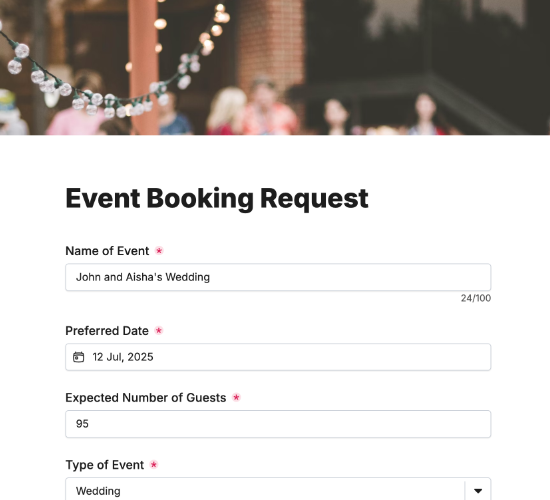
Take conference room bookings — company, attendees, date, time and setup — so business bookings arrive ready to confirm.

Description

A conference room booking form makes it easy for businesses to reserve your meeting space with all the detail you need to set it up right. Instead of a chain of emails to pin down numbers and layout, you get a complete booking — who, when, how many and what setup — ready to check against availability.

It captures the company or event name, expected number of attendees, preferred date and time slot, and the room requirements, with space for additional notes or requests. Name and contact details and a confirmation field mean each booking arrives ready to confirm and prepare for.

Customize the room options and fields to match your venue, restyle it in your brand colors, and embed it on your site so bookings arrive ready to schedule.

Form fields

Everything the Conference Room Booking Form above collects — 10 fields, so you can see exactly what it captures before you make it your own.

Book a Conference Room

  • Company or Event Name

    Short Answer Icon
    Short Answer
  • Expected Number of Attendees

    Short Answer Icon
    Short Answer
  • Preferred Booking Date

    Date Icon
    Date
  • Preferred Time Slot (e.g. 10am - 12pm)

    Short Answer Icon
    Short Answer
  • Room Requirements

    Multi-Select Icon
    Multi-Select
  • Additional Notes or Requests

    Long Answer Icon
    Long Answer
  • Your Name

    Name Icon
    Name
  • Email Address

    Email Icon
    Email
  • Contact Number

    Telephone Icon
    Telephone
  • Confirmation

    Multi-Select Icon
    Multi-Select
Use Template Arrow Right Icon

Template FAQs

Common questions about the Conference Room Booking Form — what it captures, when to use it, and how to make it your own.

What is a conference room booking form?

It’s a form businesses use to book your conference or meeting space. It captures the company, attendee numbers, date and time, and room setup, so you can check availability and prepare the room without a back-and-forth to nail down the details.

What does the form capture?

The company or event name, expected number of attendees, preferred date and time slot, and the room requirements, plus space for additional notes. Name and contact details and a confirmation field complete a booking that’s ready to schedule.

When would it be used?

Whenever a business needs a room — a board meeting, a training day, an interview or a workshop. Booking online lets them reserve at their convenience with the setup captured, so your team can prepare the space rather than chase the specifics later.

Who is this form for?

Hotels, business centers and venues that hire out meeting rooms, and the companies booking them. It suits any venue that wants conference bookings to arrive complete — numbers, timing and setup — so rooms are prepared right and double-bookings avoided.

Why capture room requirements up front?

How a room is set up — boardroom, theater, U-shape, with AV or catering — changes the prep and sometimes the room itself. Capturing requirements at booking means the space is ready exactly as needed when guests arrive, not rearranged in a rush at the last minute.

Is this booking form free to use?

Yes — it’s free. Create a Fun Forms account, customize the room options and fields to match your venue, restyle it to your brand, and embed it on your website with no coding. Bookings then arrive ready to confirm and prepare.