1. Templates
  2. Consulting
  3. Management & Strategy
  4. Consultant Onboarding Form

Consultant Onboarding Form

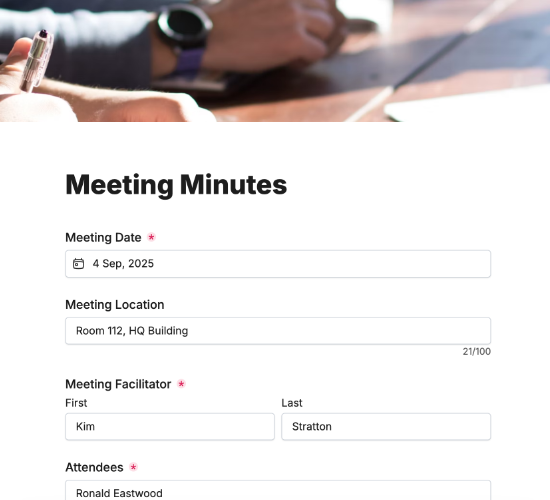
Onboard new consultants or associates — expertise, industries, experience and travel — so you can staff engagements with the right people.

Description

A consultant onboarding form brings a new consultant or associate into your firm’s bench with everything you need to deploy them well. It captures not just their details but their expertise, preferred industries and availability to travel — so when the right engagement comes up, you can match it to the right person fast.

It captures the consultant’s full legal name, mailing address and contact details, a resume or CV, and their areas of expertise. Their preferred industries, willingness to travel, years of consulting experience and LinkedIn, with a signature, build a profile you can staff projects from.

Customize the expertise areas and fields to match your practice, restyle it in your brand colors, and embed it on your intranet so new consultants are ready to deploy.

Form fields

Everything the Consultant Onboarding Form above collects — 11 fields, so you can see exactly what it captures before you make it your own.

Consultant Onboarding

  • Full Legal Name

    Name Icon
    Name
  • Mailing Address

    Short Answer Icon
    Short Answer
  • Primary Telephone

    Telephone Icon
    Telephone
  • Primary Email

    Email Icon
    Email
  • Upload Resume/CV

    Short Answer Icon
    Short Answer
  • Area(s) of Expertise

    Multi-Select Icon
    Multi-Select
  • Preferred industries to work in

    Multi-Select Icon
    Multi-Select
  • Are you open to travel?

    Yes/No Icon
    Yes/No
  • Years of Consulting Experience

    Short Answer Icon
    Short Answer
  • LinkedIn URL

    Short Answer Icon
    Short Answer
  • Signature

    Short Answer Icon
    Short Answer
Use Template Arrow Right Icon

Template FAQs

Common questions about the Consultant Onboarding Form — what it captures, when to use it, and how to make it your own.

What is a consultant onboarding form?

It’s a form used to bring a new consultant or associate into a firm. It captures their expertise, preferred industries, experience and availability, so the firm can build a profile and match them to the right engagements, not just collect their basic details.

What does the form capture?

The consultant’s full legal name, mailing address and contact details, a resume or CV, and their areas of expertise. Their preferred industries, willingness to travel, years of consulting experience, LinkedIn and a signature complete the profile.

When would it be used?

When a new consultant joins the firm or bench — as an employee or an associate. Capturing their full profile at onboarding means they can be staffed on suitable engagements straight away, rather than their skills being rediscovered each time a project needs filling.

Who is this form for?

Consulting firms and agencies that onboard consultants and associates, and the consultants joining. It suits any practice that staffs projects from a pool of people and wants each one’s expertise and availability captured up front, ready to match to work.

Why capture expertise and preferred industries?

Matching the right consultant to an engagement depends on knowing what they’re good at and where they thrive. Capturing expertise and industry preferences up front turns your bench into something searchable, so you can staff projects quickly with genuinely well-suited people.

Is this form free to use?

Yes — it’s free. Create a Fun Forms account, customize the expertise areas and fields to match your practice, restyle it to your brand, and embed it on your intranet with no coding. New consultants then arrive profiled and ready to deploy.