1. Templates
  2. Environment
  3. Environmental Consultancy
  4. Environmental Incident Report Form

Environmental Incident Report Form

Report environmental incidents fast — what happened, where, when and evidence — so spills and pollution events are logged and acted on.

Description

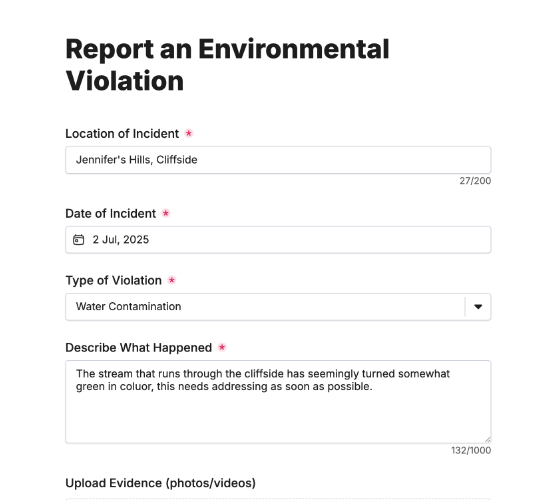
An environmental incident report form gives your team a fast, consistent way to record a pollution event, spill or other environmental incident the moment it’s spotted. Capturing what happened, where and when — with evidence — gets the right people responding quickly and creates the documented record that compliance and any investigation will need.

It captures the date, time and location of the incident and a description of what happened, plus the type of incident with room to specify. Who reported it and their email, an upload for photos or reports as evidence, and a reporter signature complete a report you can act on and stand behind.

Customize the incident types and fields to match your operation, restyle it in your brand colors, and embed it on your intranet so incidents are reported the moment they happen.

Form fields

Everything the Environmental Incident Report Form above collects — 10 fields, so you can see exactly what it captures before you make it your own.

Environmental Incident Report

  • Date of Incident

    Date Icon
    Date
  • Time of Incident

    Short Answer Icon
    Short Answer
  • Location of Incident

    Short Answer Icon
    Short Answer
  • Describe what happened

    Long Answer Icon
    Long Answer
  • Type of Incident

    Multi-Select Icon
    Multi-Select
  • Please specify:

    Short Answer Icon
    Short Answer
  • Reported By

    Name Icon
    Name
  • Your Email Address

    Email Icon
    Email
  • Upload Evidence (photos, reports)

    Short Answer Icon
    Short Answer
  • Reporter Signature

    Short Answer Icon
    Short Answer
Use Template Arrow Right Icon

Template FAQs

Common questions about the Environmental Incident Report Form — what it captures, when to use it, and how to make it your own.

What is an environmental incident report form?

It’s a form used to record an environmental incident — a spill, leak, pollution event or similar. It captures what happened, where, when and any evidence, so your team can respond quickly and hold a documented record for compliance and investigation.

What does the form capture?

The date, time and location of the incident and a description of what happened, plus the type of incident with room to specify. Who reported it and their email, an upload for evidence, and a reporter signature complete the record.

When should it be completed?

The moment an incident is discovered — speed matters both for the environmental response and for compliance. Reporting immediately captures accurate detail while it’s fresh, gets containment underway, and creates a timestamped record before evidence is lost or the scene changes.

Who is this form for?

Environmental teams, site operators and the staff who spot incidents. It suits any organization with environmental responsibilities that wants incidents logged consistently and evidenced, so it can respond fast and demonstrate it acted properly if regulators ask.

Why capture evidence at the time?

Photos and reports taken at the moment of an incident show its true scale and cause before anything’s cleaned up or changes. That evidence is vital for the response, for any regulatory report, and for protecting your organization if the incident is later investigated.

Is this form free to use?

Yes — it’s free. Create a Fun Forms account, customize the incident types and fields to match your operation, restyle it to your brand, and embed it on your intranet with no coding. Incident reports then arrive fast, documented and ready to act on.