1. Templates
  2. Hospitality
  3. Venues & Events
  4. Event Booking Request Form

Event Booking Request Form

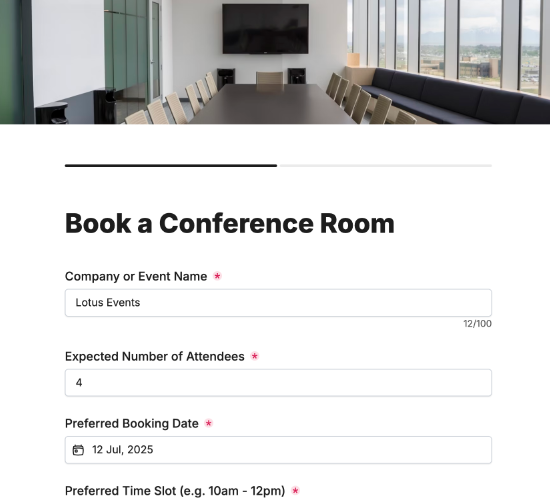
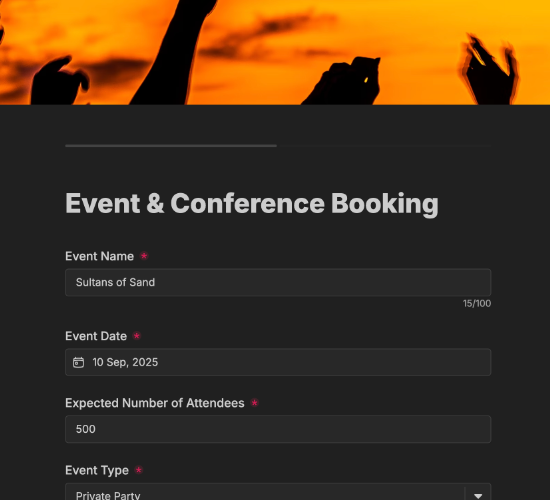
Let clients request an event date — type, guests and services — as a first step before you confirm availability and quote.

Description

An event booking request form is the easy first step for clients considering your venue for an event. Rather than committing straight away, they tell you what they’re planning and when, and you get a clear request to check availability and reply with a quote — the gentle opening to turning interest into a booking.

It captures the name and type of event with room to specify, the preferred date, the expected number of guests, and the services required, plus any additional requests. The contact person’s name, email and phone let you confirm availability and follow up with pricing and next steps.

Customize the event types and services to match your venue, restyle it in your brand colors, and embed it on your site so inquiries arrive ready to quote.

Form fields

Everything the Event Booking Request Form above collects — 10 fields, so you can see exactly what it captures before you make it your own.

Event Booking Request

  • Name of Event

    Short Answer Icon
    Short Answer
  • Preferred Date

    Date Icon
    Date
  • Expected Number of Guests

    Short Answer Icon
    Short Answer
  • Type of Event

    Short Answer Icon
    Short Answer
  • Please specify event type:

    Short Answer Icon
    Short Answer
  • Services Required

    Multi-Select Icon
    Multi-Select
  • Additional Requests or Comments

    Long Answer Icon
    Long Answer
  • Contact Person’s Name

    Name Icon
    Name
  • Contact Email

    Email Icon
    Email
  • Phone Number

    Telephone Icon
    Telephone
Use Template Arrow Right Icon

Template FAQs

Common questions about the Event Booking Request Form — what it captures, when to use it, and how to make it your own.

What is an event booking request form?

It’s a form prospective clients use to inquire about hosting an event at your venue. It captures the event type, date, guest numbers and services wanted, so you can check availability and reply with a quote — the first step before a firm booking is made.

What does the form capture?

The name and type of event with room to specify, the preferred date, the expected number of guests, and the services required, plus any additional requests. The contact person’s name, email and phone let you confirm availability and follow up with pricing.

When would a client use it?

Early on, while they’re still weighing up venues. A request form lets them float their plans and check whether you can host the date, without the commitment of a full booking, so you capture interest at the moment they’re actively looking.

Who is this form for?

Event venues, function rooms and hospitality spaces, and the clients exploring them. It suits any venue that wants to capture event inquiries with enough detail to quote, and to start the conversation before a competitor’s venue gets in first.

How is this different from a full booking form?

This form is a lighter first step — it gathers what’s needed to check availability and quote, without billing details or an agreement. It’s designed to capture interest and open the conversation, so you can qualify the inquiry before moving to a firm, confirmed booking.

Is this form free to use?

Yes — it’s free. Create a Fun Forms account, customize the event types and services to match your venue, restyle it to your brand, and embed it on your website with no coding. Event inquiries then arrive ready to check and quote.