1. Templates
  2. Transport
  3. Road Freight & Haulage
  4. Freight Booking Form

Freight Booking Form

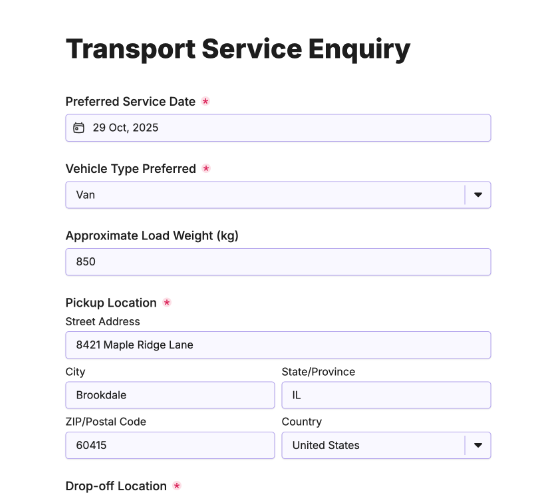
Accept freight bookings online, capturing pickup and delivery details, weight, and freight type in one streamlined booking form.

Description

The Freight Booking Form gives haulage and logistics businesses a clean way to take bookings and streamline operations. Customers enter their company name, pickup and delivery addresses, and the dates required, so your team can schedule each job accurately from the moment it comes in.

Fields for the number of packages, total weight, and type of freight let you assign the right vehicle and plan capacity, while special instructions capture anything out of the ordinary. Contact details keep every booking traceable and easy to confirm.

With bookings arriving complete, dispatch becomes far smoother. Sign up for a free Fun Forms account to customize the fields and embed this booking form on your website.

Form fields

Everything the Freight Booking Form above collects — 12 fields, so you can see exactly what it captures before you make it your own.

Freight Booking Form

  • Company Name

    Short Answer Icon
    Short Answer
  • Pickup Address

    Short Answer Icon
    Short Answer
  • Delivery Address

    Short Answer Icon
    Short Answer
  • Pickup Date

    Date Icon
    Date
  • Delivery Date

    Date Icon
    Date
  • Number of Packages

    Short Answer Icon
    Short Answer
  • Total Weight (kg)

    Short Answer Icon
    Short Answer
  • Type of Freight

    Short Answer Icon
    Short Answer
  • Special Instructions

    Long Answer Icon
    Long Answer
  • Contact Person

    Name Icon
    Name
  • Contact Phone Number

    Telephone Icon
    Telephone
  • Contact Email

    Email Icon
    Email
Use Template Arrow Right Icon

Template FAQs

Common questions about the Freight Booking Form — what it captures, when to use it, and how to make it your own.

What is a freight booking form?

A freight booking form is an online form customers use to book the transport of goods. It captures the pickup and delivery addresses, dates, weight, and freight type, so a haulage business can schedule the job, assign the right vehicle, and confirm the booking quickly and accurately.

What details are needed to book freight?

To book freight, your team needs the pickup and delivery addresses, the required dates, the number of packages, and the total weight and type of freight. Special instructions and contact details complete the picture, giving your team everything needed to schedule the job and assign a suitable vehicle.

Why capture the type of freight?

The type of freight determines how goods must be handled, loaded, and transported, from general pallets to fragile or temperature-sensitive items. Capturing it upfront lets your team assign the right vehicle and equipment, apply correct pricing, and ensure the goods arrive in the same condition they left.

How do special instructions help?

A special instructions field lets customers flag anything out of the ordinary, such as restricted access, timed deliveries, or delicate handling. Capturing these details early means your drivers arrive prepared, the job runs smoothly, and there are no surprises that could cause delays or extra cost on the day.

How does this streamline operations?

Because every booking arrives complete and in the same structure, your team can schedule jobs without chasing missing details. Consistent bookings reduce admin, cut errors, and let dispatchers assign vehicles and plan routes faster, so your whole operation runs more smoothly from booking to delivery.

Is the freight booking form free?

Yes, this freight booking form is completely free, and you can customize the fields to fit your operation, embed it on your website, and go live with no coding required. Simply create a free Fun Forms account to start taking freight bookings online.