1. Templates
  2. Human Resources
  3. Employee Relations
  4. Leave Request Form

Leave Request Form

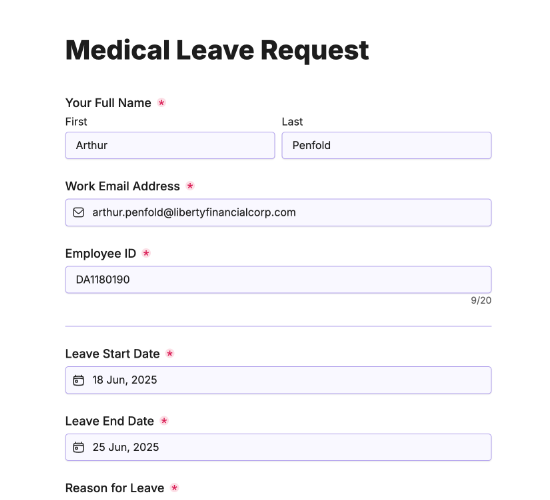
Let employees request time off — dates, type, reason and urgency — so managers can approve leave and plan around it.

Description

A leave request form gives employees a simple, consistent way to book time off and gives managers a clear basis to approve it and plan cover. Instead of leave asked for by email, chat or in passing, every request captures the dates, type and reason in one place — so approvals are quick and nothing clashes.

It captures the employee’s name and email, the leave start and end dates, the leave type with room to specify, and the reason. Whether the leave is urgent, any additional comments, and a signature complete a request managers can approve, decline or discuss with the full picture in front of them.

Customize the leave types and fields to match your policy, restyle it in your brand colors, and embed it on your intranet so requests arrive ready to approve.

Form fields

Everything the Leave Request Form above collects — 10 fields, so you can see exactly what it captures before you make it your own.

Request Leave

  • Your Name

    Name Icon
    Name
  • Your Email

    Email Icon
    Email
  • Leave Start Date

    Date Icon
    Date
  • Leave End Date

    Date Icon
    Date
  • Leave Type

    Single-Select Icon
    Single-Select
  • Please specify leave type:

    Short Answer Icon
    Short Answer
  • Reason for Leave

    Long Answer Icon
    Long Answer
  • Is this leave urgent?

    Yes/No Icon
    Yes/No
  • Additional Comments

    Long Answer Icon
    Long Answer
  • Employee Signature

    Short Answer Icon
    Short Answer
Use Template Arrow Right Icon

Template FAQs

Common questions about the Leave Request Form — what it captures, when to use it, and how to make it your own.

What is a leave request form?

It’s a form employees use to request time off. It captures the dates, the leave type and the reason, so managers can approve it, plan cover and keep an accurate record — instead of leave requested informally and tracked in scattered emails or memory.

What does the form capture?

The employee’s name and email, the leave start and end dates, the leave type with room to specify, and the reason. Whether the leave is urgent, additional comments, and a signature complete a request managers can act on with full context.

When would it be used?

Whenever an employee wants time off — vacation, a personal day, or planned leave. Requesting through the form captures it consistently and gives managers notice to arrange cover, so time off is approved smoothly rather than sprung on a team last minute.

Who is this form for?

Managers, HR and the employees requesting leave. It suits any organization that wants time-off requests captured and approved consistently, with a clear record of who’s off when, rather than a patchwork of emails, chats and half-remembered agreements.

Why capture whether leave is urgent?

Most leave can be planned around; some can’t. Flagging urgency lets managers spot a request that needs a fast decision — a family emergency, say — and handle it with the sensitivity and speed it deserves, rather than treating every request the same.

Is this form free to use?

Yes — it’s free. Create a Fun Forms account, customize the leave types and fields to match your policy, restyle it to your brand, and embed it on your intranet with no coding. Leave requests then arrive ready to approve and plan around.