1. Templates
  2. Human Resources
  3. Employee Relations
  4. Medical Leave Request Form

Medical Leave Request Form

Let employees request medical leave — dates, reason and certificate — so absences are handled properly and confidentially.

Description

A medical leave request form gives employees a private, respectful way to request time off for health reasons and gives HR what it needs to handle it properly. Because medical leave carries legal and confidentiality obligations, capturing the request formally — with the right detail and documentation — protects both the employee and the organization.

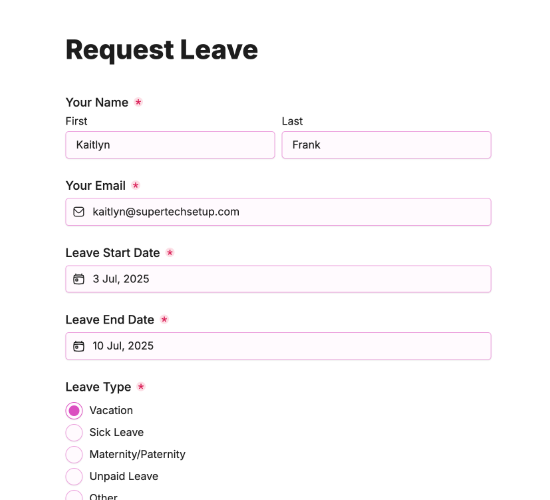
It captures the employee’s full name, work email and employee ID, the leave start and end dates, and the reason with room to specify. Additional details, an upload for a medical certificate, a confirmation and a signature complete a documented request HR can process and record correctly.

Customize the fields to match your leave policy, restyle it in your brand colors, and embed it on your intranet so medical leave is requested cleanly and privately.

Form fields

Everything the Medical Leave Request Form above collects — 11 fields, so you can see exactly what it captures before you make it your own.

Medical Leave Request

  • Your Full Name

    Name Icon
    Name
  • Work Email Address

    Email Icon
    Email
  • Employee ID

    Short Answer Icon
    Short Answer
  • Leave Start Date

    Date Icon
    Date
  • Leave End Date

    Date Icon
    Date
  • Reason for Leave

    Short Answer Icon
    Short Answer
  • Please specify reason for leave:

    Short Answer Icon
    Short Answer
  • Additional details (optional)

    Long Answer Icon
    Long Answer
  • Upload Medical Certificate

    Short Answer Icon
    Short Answer
  • Confirmation

    Multi-Select Icon
    Multi-Select
  • Signature

    Short Answer Icon
    Short Answer
Use Template Arrow Right Icon

Template FAQs

Common questions about the Medical Leave Request Form — what it captures, when to use it, and how to make it your own.

What is a medical leave request form?

It’s a form employees use to request time off for health reasons. It captures the dates, reason and a medical certificate, so HR can process the leave properly and confidentially, meeting the legal and record-keeping obligations that medical absence carries.

What does the form capture?

The employee’s full name, work email and employee ID, the leave start and end dates, and the reason with room to specify. Additional details, an upload for a medical certificate, a confirmation and a signature complete the documented request.

When would it be used?

When an employee needs time off for illness, treatment, recovery or a medical procedure. Submitting it formally, with a certificate, gives HR the documentation to approve and record the leave correctly and to arrange any cover or support the employee needs.

Who is this form for?

HR teams that manage medical absence, and the employees requesting it. It suits any organization that wants medical leave handled formally and confidentially, with proper documentation, rather than through informal messages that leave obligations unmet.

Why require a medical certificate?

A certificate substantiates the leave, supports the employee’s entitlements and protects the organization’s records. Requiring it keeps medical absence handled correctly and consistently, so the employee gets the leave they’re due and HR meets its legal and policy obligations.

Is this form free to use?

Yes, it’s free. Create a Fun Forms account, customize the fields to match your leave policy, restyle it to your brand colors, and embed it on your intranet with no coding. Medical leave requests then arrive documented and ready to process.