1. Templates
  2. Consulting
  3. Operations & Supply Chain
  4. Maintenance Request Form

Maintenance Request Form

Let staff report facilities issues — location, problem, type and preferred repair date — so maintenance keeps the workplace running.

Description

A maintenance request form gives your team one clear way to report anything that needs fixing around the workplace, from a flickering light to a broken door. Instead of issues raised in passing and forgotten, each one reaches your facilities team logged with the detail they need to prioritize and resolve it.

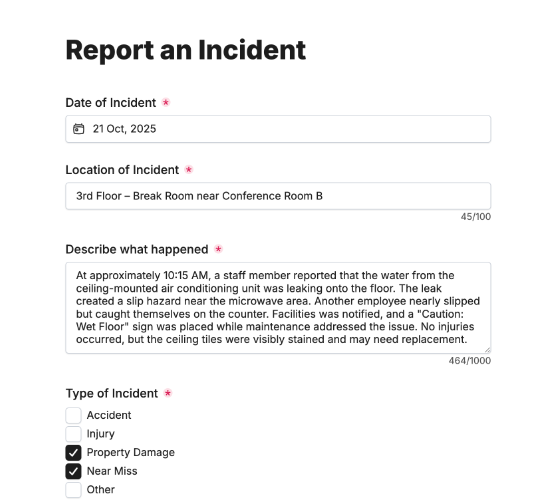
It captures the requester’s contact details, the location of the issue and a description of the problem, the issue type with room to specify, and a preferred repair date. An optional photo upload shows the fault at a glance, so maintenance can plan the fix without a site visit just to assess it.

Customize the issue types and fields to match your workplace, restyle it in your brand colors, and embed it on your intranet so requests reach facilities instantly.

Form fields

Everything the Maintenance Request Form above collects — 9 fields, so you can see exactly what it captures before you make it your own.

Maintenance Request

  • Your Name

    Name Icon
    Name
  • Your Email

    Email Icon
    Email
  • Your Phone Number

    Telephone Icon
    Telephone
  • Location of the issue

    Short Answer Icon
    Short Answer
  • Describe the problem

    Long Answer Icon
    Long Answer
  • Issue Type

    Multi-Select Icon
    Multi-Select
  • Please specify Issue Type:

    Short Answer Icon
    Short Answer
  • Preferred repair date

    Date Icon
    Date
  • Upload photos of issue (optional)

    Short Answer Icon
    Short Answer
Use Template Arrow Right Icon

Template FAQs

Common questions about the Maintenance Request Form — what it captures, when to use it, and how to make it your own.

What is a maintenance request form?

It’s a form staff use to report a facilities issue at work. It captures the location, the problem and its type, plus a preferred repair date and photos, so your facilities team has the detail to prioritize and schedule the fix rather than chase a vague report.

What does the form capture?

The requester’s contact details, the location of the issue and a description of the problem, the issue type with room to specify, and a preferred repair date. An optional photo upload lets maintenance see the fault before they arrive to fix it.

When would it be used?

Any time something in the workplace needs attention — a fault, a breakage or a hazard. Logging it straight away captures the detail while it’s clear and puts the job in the queue, so small problems are fixed before they disrupt work or worsen.

Who is this form for?

Facilities and office management teams that handle repairs, and the staff reporting them. It suits any workplace that wants maintenance issues logged consistently, with the location and detail needed to act, rather than fielded by email or a tap on the shoulder.

Why ask for a preferred repair date?

Some repairs can wait for a quiet time or out of hours; others are urgent. A preferred date lets facilities schedule work around how the space is used, fixing things with minimal disruption rather than interrupting a meeting or a busy floor at the wrong moment.

Is this form free to use?

Yes, it’s free. Create a Fun Forms account, customize the issue types and fields to match your workplace, restyle it to your brand colors, and embed it on your intranet with no coding. Requests then reach facilities logged and ready to schedule.