1. Templates
  2. Healthcare
  3. GP & Medical Practices
  4. Patient Registration Form

Patient Registration Form

Register new patients in one form — contact details, reason for visit, conditions and medications — before their first visit.

Description

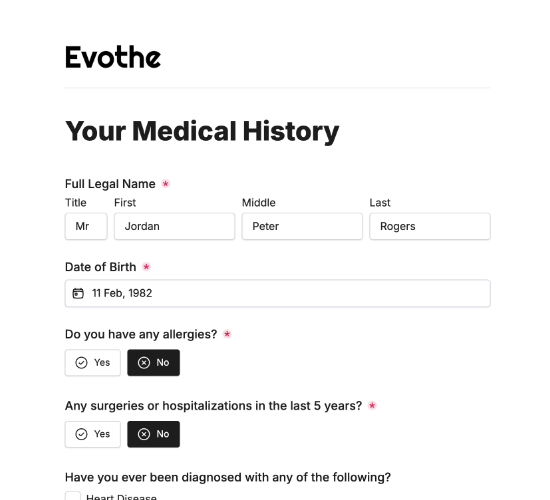
A patient registration form gets a new patient onto your books cleanly, capturing everything your practice needs to open a record and prepare for their first visit. Instead of a clipboard in the waiting room, patients register in advance — so their details are on file and their arrival is smooth.

It records the patient’s full name, date of birth and contact details, their home address and preferred method of contact, and what brings them in. Fields for existing conditions and regular medications, with room to list specifics, plus a signature, give clinicians a head start before the patient is even seen.

Customize the fields to match your practice, restyle it in your brand colors, and embed it on your site so patients register before they arrive.

Form fields

Everything the Patient Registration Form above collects — 12 fields, so you can see exactly what it captures before you make it your own.

Welcome to Our Clinic

  • What’s your full name?

    Name Icon
    Name
  • Date of Birth

    Date Icon
    Date
  • Phone Number

    Telephone Icon
    Telephone
  • Email Address

    Email Icon
    Email
  • Home Address

    Short Answer Icon
    Short Answer
  • Preferred Method of Contact

    Short Answer Icon
    Short Answer
  • What brings you in today?

    Long Answer Icon
    Long Answer
  • Do you have any of the following conditions?

    Multi-Select Icon
    Multi-Select
  • Please specify all conditions:

    Short Answer Icon
    Short Answer
  • Do you take any medications regularly?

    Yes/No Icon
    Yes/No
  • Please list all medications:

    Long Answer Icon
    Long Answer
  • Signature

    Short Answer Icon
    Short Answer
Use Template Arrow Right Icon

Template FAQs

Common questions about the Patient Registration Form — what it captures, when to use it, and how to make it your own.

What is a patient registration form?

It’s a form new patients complete to join your practice. It captures contact details, the reason for their visit, existing conditions and medications, so you can open a record and prepare for their first appointment before they walk through the door.

What does it collect?

The patient’s full name, date of birth and contact details, home address and preferred method of contact, and what brings them in. Fields for existing conditions and regular medications with room to list specifics, plus a signature, complete the registration.

When should a patient complete it?

Before their first visit, when joining the practice. Registering in advance means their details and basic history are on file before they arrive, so their first appointment starts on time and focuses on their care rather than paperwork at the desk.

Who is this form for?

GP practices, clinics and healthcare providers taking on new patients, and the patients registering. It suits any practice that wants registration done accurately and in advance, rather than handed a clipboard to fill in while the waiting room backs up.

Why capture conditions and medications at registration?

Knowing a new patient’s conditions and current medications from the outset helps clinicians treat safely and avoid harmful interactions. Having it on file before the first visit means care is informed from the very first consultation, not the second.

Is this form free to use?

Yes, it’s free. Create a Fun Forms account, customize the fields to match your practice, restyle it to your brand colors, and embed it on your website with no coding. New patients then register in advance, on file before they arrive.