1. Templates
  2. Retail
  3. E-commerce
  4. New Employee Intake Form

New Employee Intake Form

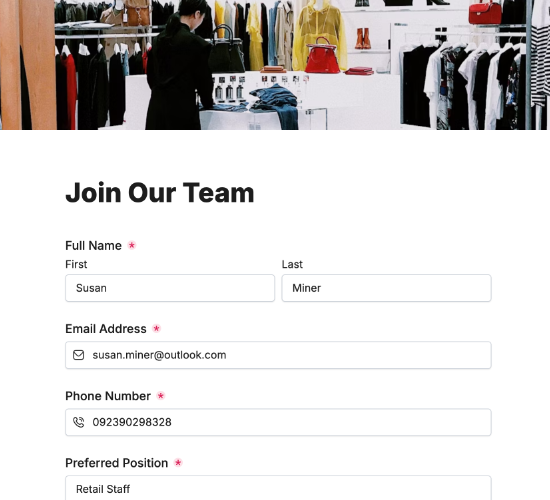
Set up new retail hires — details, role, uniform and equipment needs — so they’re ready for the floor from their first shift.

Description

A new employee intake form captures everything you need to set a new retail hire up properly before their first shift. Beyond the basics, it flags the uniform and equipment they’ll need — so instead of a first day spent hunting for a name badge and the right size polo, everything’s ready and they can get straight to work.

It records the employee’s full legal name, contact details, date of birth and home address, their job title, department, start date and employment type, and their employee ID. Whether they need a uniform or equipment with sizes, a photo ID upload and a confirmation complete a clean, ready-to-go record.

Customize the departments and fields to match your stores, restyle it in your brand colors, and embed it on your intranet so new hires are set up before day one.

Form fields

Everything the New Employee Intake Form above collects — 14 fields, so you can see exactly what it captures before you make it your own.

Employee Onboarding

  • Full Legal Name

    Name Icon
    Name
  • Work Email Address

    Email Icon
    Email
  • Contact Number

    Telephone Icon
    Telephone
  • Home Address

    Short Answer Icon
    Short Answer
  • Date of Birth

    Date Icon
    Date
  • Job Title

    Short Answer Icon
    Short Answer
  • Department

    Short Answer Icon
    Short Answer
  • Official Start Date

    Date Icon
    Date
  • Employment Type

    Short Answer Icon
    Short Answer
  • Employee ID

    Short Answer Icon
    Short Answer
  • Do you require uniform or equipment?

    Yes/No Icon
    Yes/No
  • Please specify sizes or needs:

    Short Answer Icon
    Short Answer
  • Upload Photo ID

    Short Answer Icon
    Short Answer
  • Confirmation

    Multi-Select Icon
    Multi-Select
Use Template Arrow Right Icon

Template FAQs

Common questions about the New Employee Intake Form — what it captures, when to use it, and how to make it your own.

What is a new employee intake form?

It’s a form new retail hires complete to be set up before starting. It captures their details, role and uniform or equipment needs, so everything’s ready for their first shift — from payroll and records to the right-size uniform and a name badge waiting for them.

What does the form capture?

The employee’s full legal name, contact details, date of birth and home address, their job title, department, start date and employment type, and employee ID. Whether they need a uniform or equipment with sizes, a photo ID upload and a confirmation complete it.

When should it be completed?

Once a hire is confirmed and before their first shift. Capturing everything in advance gives you time to set up records, order the right uniform and equipment, and prepare their access — so day one is spent on the floor, not filling in forms in the back office.

Who is this form for?

Store managers, HR and operations teams that onboard retail staff, and the new hires joining. It suits any retail business that wants new starters set up accurately and kitted out before day one, so they’re productive from their first shift rather than half-ready.

Why capture uniform and equipment needs?

A new retail hire can’t work the floor without a uniform and the right kit. Capturing sizes and needs at intake means it’s all ordered and ready for their first shift, so they look the part and get going straight away instead of waiting days for a uniform to arrive.

Is this form free to use?

Yes, it’s free. Create a Fun Forms account, customize the departments and fields to match your stores, restyle it to your brand colors, and embed it on your intranet with no coding. New hire details then arrive complete and ready to set up.