1. Templates
  2. Fitness
  3. Personal Training
  4. Return-to-Training Coaching Intake Form

Return-to-Training Coaching Intake Form

Ease clients safely back into training after a break, capturing their history, recovery, and goals in one form.

Description

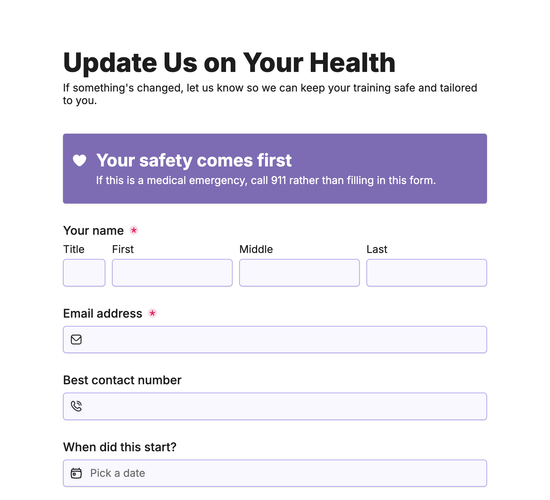
The Return to Training Coaching Intake Form gives trainers a careful way to bring clients back after a break or injury. It captures what has brought them back, when they last trained regularly, and what they are recovering from, so you can rebuild their fitness safely and sensibly.

Fields for the areas affected, how it feels now, whether a doctor or physio has cleared them, and any movements to avoid keep the return safe, while their current fitness, goals, and available days shape the plan. Capturing all this means a confident, well-paced comeback.

A safe return builds a stronger comeback. Sign up for a free Fun Forms account to customize the fields and embed this intake form on your website.

Form fields

Everything the Return-to-Training Coaching Intake Form above collects — 15 fields across 3 pages, so you can see exactly what it captures before you make it your own.

Ease Back Into Training

  • Your name

    Name Icon
    Name
  • Email address

    Email Icon
    Email
  • Contact number

    Telephone Icon
    Telephone
  • What's brought you back?

    Dropdown Icon
    Dropdown
  • When did you last train regularly?

    Date Icon
    Date

Your Health & Injury

  • What are you recovering from?

    Long Answer Icon
    Long Answer
  • Which areas are affected?

    Multi-Select Icon
    Multi-Select
  • How does it feel now?

    Dropdown Icon
    Dropdown
  • Have you been cleared by a doctor or physio?

    Yes/No Icon
    Yes/No
  • Any movements or exercises you've been told to avoid?

    Long Answer Icon
    Long Answer
  • Upload any physio or doctor notes (optional)

    Upload Icon
    Upload

Getting Back Into It

  • How would you describe your fitness right now?

    Dropdown Icon
    Dropdown
  • What are your goals for coming back?

    Long Answer Icon
    Long Answer
  • How many days a week can you train?

    Dropdown Icon
    Dropdown
  • Confirmation

    Consent Icon
    Consent
Use Template Arrow Right Icon

Template FAQs

Common questions about the Return-to-Training Coaching Intake Form — what it captures, when to use it, and how to make it your own.

What is a return to training coaching intake form?

A return to training coaching intake form is an online form clients use to restart training after a break. It captures their history, recovery, and goals, so a trainer can rebuild fitness safely, avoid setbacks, and pace the comeback sensibly for each client.

Why ask when a client last trained regularly?

Knowing when a client last trained regularly shows how much fitness they may have lost and how to pace their return. It helps you set a sensible starting point, avoid doing too much too soon, and rebuild them steadily without injury or burnout.

Why ask if a doctor or physio has cleared them?

If a client is returning from injury or illness, knowing whether they have been cleared by a doctor or physio is essential for safe coaching. It tells you whether to proceed and within what limits, so you support their recovery rather than risking a setback.

Why ask what movements to avoid?

Asking about any movements a client has been told to avoid gives you clear, practical direction. It lets you build a program that works around their limits, keeping them safe while still training effectively, so their comeback progresses without aggravating the issue.

Why capture a client’s goals for coming back?

Knowing a client’s goals for their return keeps coaching motivating and focused. Whether they want to regain lost strength, prepare for an event, or simply feel good again, capturing this ensures the plan aims at what matters to them and keeps them engaged.

Is the return to training coaching intake form free?

Yes, this return to training coaching intake form is completely free, and you can customize the fields to fit your coaching, embed it on your website, and go live with no coding required. Just create a free Fun Forms account to start welcoming clients back online.