





1. Templates
  2. Security
  3. Event Security
  4. Event Security Booking Form

Event Security Booking Form

An event security booking template for organisers — capture the venue, date, attendee numbers and the exact staff and cover you need in one request.

Description

An event security booking form gives organisers a fast, structured way to request door and event staff, and gives your security company everything it needs to quote and confirm in one go. Instead of a scatter of emails and phone calls, the details arrive complete — so you can check availability and price the job straight away.

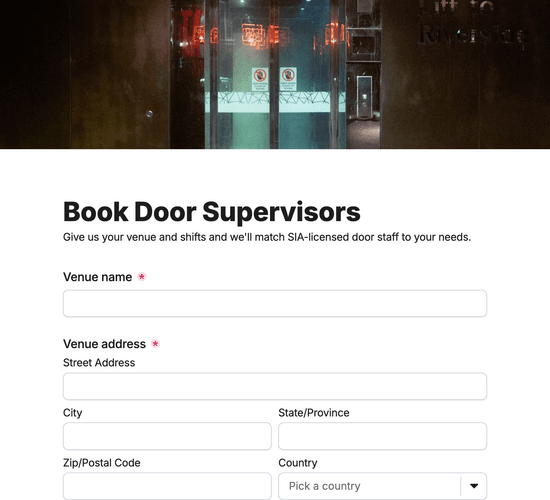
It opens with the event itself: the type of event, the venue name and address, the date and times, and the expected number of attendees. A staffing table lets the organiser specify each role, how many and for how long, alongside additional cover such as searches, ejections or first aid, whether alcohol is being served, and any special instructions. Contact details finish the request.

Embed it on your website or share the link so event enquiries land ready to assess. It’s free — customize the fields to match your services, restyle it to your brand, and turn enquiries into confirmed bookings faster.

Form fields

Everything the Event Security Booking Form above collects — 15 fields across 3 pages, so you can see exactly what it captures before you make it your own.

Book Your Event Security

  • What type of event is it?

    Dropdown Icon
    Dropdown
  • Event or venue name

    Short Answer Icon
    Short Answer
  • Venue address

    Address Icon
    Address
  • Event date

    Date Icon
    Date
  • Event times (start to finish)

    Short Answer Icon
    Short Answer
  • Expected number of attendees

    Number Icon
    Number

Security requirements

  • Staff required (role, quantity, hours)

    Table Icon
    Table
  • Additional cover needed

    Multi-Select Icon
    Multi-Select
  • Will alcohol be served?

    Yes/No Icon
    Yes/No
  • Anything else we should know?

    Long Answer Icon
    Long Answer

Your details

  • Your name

    Name Icon
    Name
  • Email address

    Email Icon
    Email
  • Contact number

    Telephone Icon
    Telephone
  • Company or organisation

    Short Answer Icon
    Short Answer
  • Consent

    Consent Icon
    Consent
Use Template Arrow Right Icon

Template FAQs

Common questions about the Event Security Booking Form — what it captures, when to use it, and how to make it your own.

What is an event security booking form?

It’s a form event organisers use to request security staff for an event. It captures the venue, date, times, attendee numbers and the exact roles and cover needed, so a security company can check availability and quote quickly — replacing back-and-forth emails with one complete request.

What should an event security booking form include?

The event type, venue name and address, date and times, and expected attendance; a staffing breakdown of roles, quantities and hours; additional cover such as searches, ejections, CCTV or first aid; whether alcohol is served; and the organiser’s contact details.

When should you use it?

As early as possible before an event — popular dates and experienced door staff book up fast. Sending the full brief up front means the security provider can confirm availability, plan the right cover, and return an accurate quote without chasing missing details.

Who is this form for?

Security companies and door supervision providers, and the organisers who book them — nightclubs, bars, festivals, corporate events, concerts and private parties. Any provider that wants event enquiries to arrive with the venue, dates and staffing needs already captured will benefit.

Can I use it for festivals and large outdoor events?

Yes. The staffing table handles multiple roles and quantities, and the additional-cover options and notes field let organisers flag marshalling, medical cover, radio monitoring and anything else a larger or outdoor event needs, so nothing is missed at the planning stage.

Is this event security template free to use?

Yes — it’s free. Create a Fun Forms account, customize the fields to match the services you offer, restyle it to your brand, and embed it on your website or share the link. No coding needed, and event bookings arrive ready to price and confirm.